

We’ve introduced a series of Scheduler enhancements designed to remove friction from everyday planning. These updates focus on making task creation more intuitive, editing more flexible, and large-scale updates far less time-consuming. The result? A smoother scheduling experience that helps you focus on managing delivery.
Bulk Editing That Saves Real Time
Managing tasks one by one can slow everything down — especially when changes affect multiple activities.
We’ve introduced a new bulk editing capability directly in the Scheduler. A new pencil icon in the toolbar responds to what you’ve selected. Select one task, and you’ll see the familiar single-task view. Select multiple tasks, and you can update them together in one action.
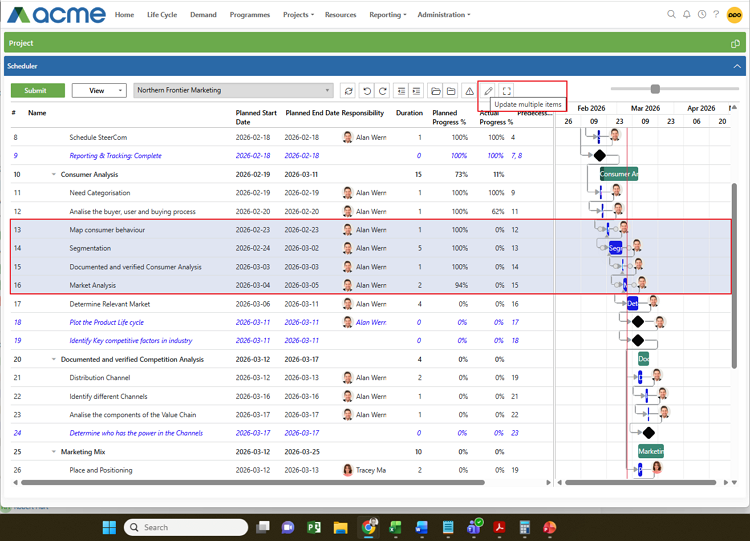
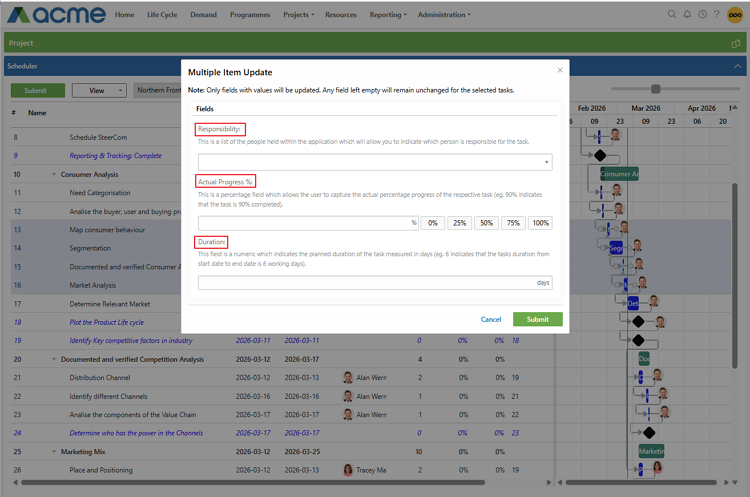
You can quickly change responsibility, adjust durations, or update actual progress across several tasks at once. This makes it much easier to rebalance workloads, reflect revised timelines, or update progress during reporting cycles — all without repetitive clicking.
Clearer Gantt Exports for Better Communication
Exporting your Gantt chart to PDF is often about sharing progress with stakeholders. We’ve made that output clearer and more professional.
When you export, the header now automatically includes the project name followed by “Gantt Chart.” That means every PDF is clearly labelled, easier to identify, and ready to share.
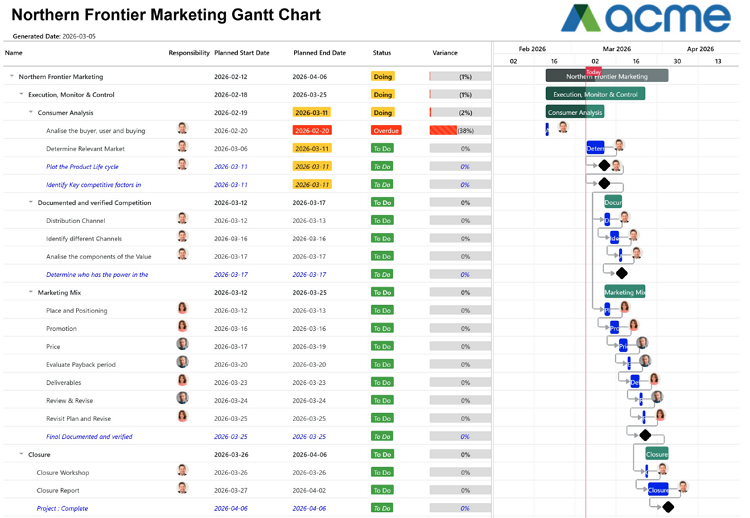
It’s a simple enhancement, but it improves how your schedules are presented and understood.
Smarter Start Dates That Keep Plans Moving
By default, new tasks now start today. When added under a summary task, they automatically start the day after the last child task. When added after another task, they begin where the previous one ends. And when restructuring tasks, start dates stay aligned with their parent.
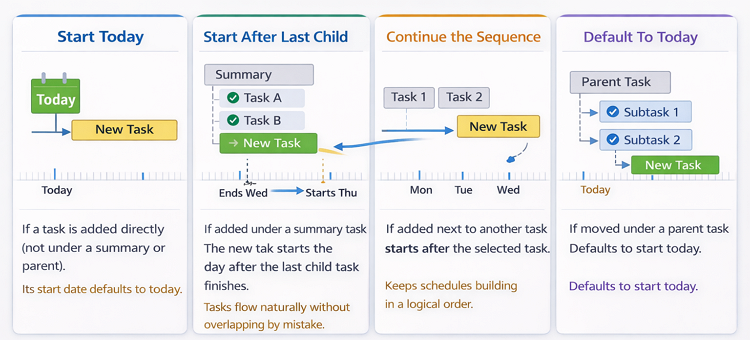 This means less manual date fixing and a schedule that builds in a logical sequence from the start — helping you plan faster and with fewer adjustments.
We do our very best to make PPO better every day, so we’d love to hear your feedback on these latest enhancements.
Don’t forget to let us know if you have any other product enhancement ideas! Drop us an email or log an idea on our community portal please. More importantly, keep up to date with all our new product information by subscribing to our blog.
