
Category: Product News

Improved Labels for your Donut Widgets

Illustration of a smiling person standing in front of a large computer monitor displaying various purple charts, graphs, and data visualizations.

Previously in PPO your donut widgets either had no label or you were able to show the % of each slice of the donut. We’ve improved this to all you to set the following for your Label Display for the donuts:

Recap of Our Mid-Year New Feature Product Webinar

Illustration of a computer monitor displaying a webpage with a cartoon person on the left and a large purple play button in a yellow triangle on the right. The webpage has a clean, simple layout.

We just wrapped up our mid-year new feature product webinar, and it was packed with amazing insights from our experienced consultants and practical tips from one of our users in the infrastructure space gaining a huge amount of value from using PPO’s Boards in team engagements. If you missed it, don’t worry—we’ve got you covered! In this blog post, we’ll break down all the key points and highlights so you can catch up on everything we talked about. Let’s dive into the main takeaways and see what you can start applying right away!

Easily Copy your Customised Home Pages

Illustration of two web pages connected to a central home icon, with a smiling man below one page and a smiling woman below the other. Small icons for a calendar and group of people are also shown.

We are thrilled to unveil our latest enhancement: the Copy Home Page Tab feature designed to transform the way you work with your Customised Home Pages. Whether you’re a project manager executing projects for multiple departments or portfolios, a team member with dashboard views per project, or a PPO administrator duplicating views for multiple user groups, our new Copy Home Page Tab feature is here to help you discover a faster and easier way to copy your customised views.

Why you might not be ready to implement PPM software

A cartoon person stands next to a large computer monitor displaying colorful web design elements, including forms and code. Two gear icons are in the background, suggesting website development.

In this blog post, we’ll explore five signs that indicate your business might not be ready to implement PPM software. By identifying these signs early on, you can avoid potential pitfalls and ensure that your transition to PPM software is smooth and successful.

Coming Soon – Multiple Select Custom Lists…

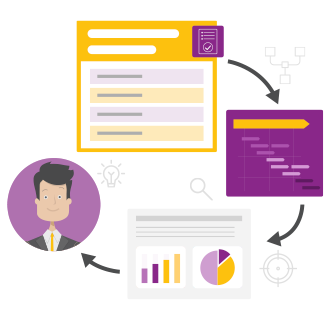
Illustration of a man in a suit, surrounded by project management graphics: a checklist, a Gantt chart, and analytics charts, all connected by arrows in a workflow cycle.

This highly anticipated feature will revolutionise the way you interact with your custom lists. No longer bound by the constraints of single-item selection, you will be able to effortlessly choose multiple items from a single custom list in one go.

Introducing color coded styling for upcoming and overdue dates

Illustration of a smiling person on a computer screen, surrounded by icons: a traffic light, pie chart, warning sign, data chart, and magnifying glass, representing data analysis and monitoring.

We’re thrilled to announce our latest product feature which allows you to apply Color Styling to date fields to highlight whether an item is overdue or due within the next 7 days! This new feature brings visual clarity and efficiency to your project planning and tracking.

Effortless Planning with Calculated Task Duration

A project timeline chart with tasks on the left and dates along the top. Colored bars represent different tasks scheduled across various months, showing durations and overlap between tasks.

Manual task duration is a thing of the past! We’ve implemented calculated task duration regardless of how you load your tasks into PPO. This enhancement helps streamline tasks within PPO which will hopefully lead to improved accuracy and most importantly save you valuable time.

Understanding the benefits of setting default values

Illustration of a person standing in front of a large computer screen with floating interface elements, including message boxes, and icons for email, notifications, and search at the bottom.

Our latest product news feature introduces “setting default values” on all data fields in PPO. This administration enhancement has huge potential for streamlining data inputs, improving user experience and can even serve as an onboarding tool for the creation and automation of project artefacts like demand requests and project charters. Simply put, default values are pre-populated data inputs that users can either accept or modify.