
Category: Articles

Webinar Recap: Smarter Scheduling, Resource Assignments & Approval Automation in PPO

Illustration of two connected machines, one with a flowchart diagram and the other featuring buttons and a screen, with a computer window showing a checklist in front of them.

In our latest product webinar, we introduced PPO’s new multiple resource assignment feature — a game-changer for task management and scheduling. We also shared the latest Scheduler enhancements that make planning even more intuitive. Plus, in our client spotlight, Certa Ireland showcased how automating document approvals with PPO has improved efficiency, reduced risk, and strengthened governance.

University of Johannesburg and PPO recognised for digital innovation at Intelligent ICT Awards Africa 2025

A gold trophy sits on a wooden surface with a blurred background of bright, warm lights, creating a celebratory atmosphere.

The University of Johannesburg (UJ), supported by Project Portfolio Office (PPO), has been awarded Intelligent Education Implementation of the Year at the Intelligent ICT Awards Africa 2025. The award recognises the success of UJ’s OnePMO initiative, powered by PPO’s project portfolio management software, in driving digital transformation, improving governance, and aligning project delivery with institutional strategy.

Grid Widget Enhancements: 3 Enhancements to Save You Time and Effort

Illustration of a person in business attire, a magnifying glass over a pie chart, a rising bar graph with an upward arrow, and a gold coin with a dollar sign, representing financial growth and analysis.

We’ve rolled out three impactful updates to the grid widget — all inspired by real user feedback. You can now copy rows with a click, control how interval dates are calculated, and enjoy a more intuitive Edit in Grid experience. Whether you’re planning, editing, or duplicating data, the grid is now faster, clearer, and easier to use than ever.

We’ve Enhanced the Calendar Widget

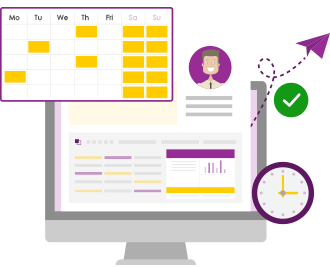
Illustration of a computer screen displaying a calendar, profile, and charts, with a floating schedule, paper airplane, clock, and green checkmark, representing time management or scheduling.

We’ve made some exciting updates to the calendar widget! In response to client feedback, we’ve enhanced its functionality by removing the five-event limit and introducing event filtering. These improvements give users greater control and visibility over their calendars, making it easier to stay on top of what matters most.

The new Line Chart Widget is now available!

Illustration of a tablet displaying two data charts: the left chart shows a downward trend with purple bars and line graph, while the right chart shows an upward trend with yellow bars and line graph.

We’re excited to introduce the latest addition to PPO’s growing library of widgets — the Line Graph Widget! Designed to help you visualise trends and changes over time, the new widget is perfect for tracking metrics like costs and benefits.

New! Group Usage Report by User Group

A bar graph with five vertical bars in varying heights and colors: purple, grey, and pink. The graph is on a sheet of paper with a large paperclip, and there is a legend with matching colored squares below.

We’ve just added a handy enhancement to PPO’s standard usage report — you can now group by User Group! Until now, you could group usage by various resource fields (like department or job title), but not by the actual user groups set up in PPO. That’s changed.