
Category: Product News

PPO Quick Tip: How to Use Your Homepage Dashboard for Morning Stand-Ups

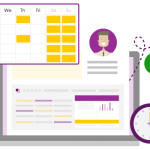
Illustration of two web pages connected to a central home icon, with a smiling man below one page and a smiling woman below the other. Small icons for a calendar and group of people are also shown.

In this PPO Quick Tip, Support Manager Lindi Gerber shares how she uses her custom home page dashboard to run focused, efficient daily stand-ups. With key metrics, interactive board views and clear visibility of sprint progress, she shows how PPO helps her team stay aligned, prioritised and on track.

Wrapping Up 2025: A Year of Powerful Product Enhancements & PMO Success Stories

Illustration of a hand holding a purple megaphone emerging from a smartphone screen, surrounded by social media icons, symbolizing the power of Online Project Management Software to enhance collaboration and communication across platforms.

PPO’s 2025 webinar series delivered some of our biggest advancements yet — from the launch of the new Scheduler and multiple resource assignments to the introduction of the side panel and In-Line Editing. Each quarter also featured real-world insights from clients like Momentum, Certa Ireland, UWC, and Nedbank Private Wealth. As we look ahead, the 2026 webinar calendar is now live. Explore the full wrap-up and register for next year’s sessions.

Introducing Fewer Clicks with In-Line Editing

A hand presses a purple switch labeled EDIT on a button, with various chart graphics in the purple background.

PPO’s new in-line editing feature is here to make updating your project and related data faster, simpler and more efficient. With new icons, full visibility of dependent and calculated fields, in-line editing brings a more intuitive user experience.

PPO Quick Tip: Using Key Metrics to Manage Your Sprint

Illustration of a DevOps infinity symbol on a screen, surrounded by icons representing people labeled Project Teams and Product Teams, indicating collaboration between different teams.

In this PPO Quick Tip, our consultant demonstrates how he uses key metrics to manage his sprint. By tracking the total estimated hours and the estimate to complete, he can instantly see team capacity, identify potential delays, and communicate when sprint items may be missed. See how PPO’s key metrics make agile sprint management simpler and more transparent.

PPO History Reports Get a Fresh Look and More Flexibility

An open yellow folder with various documents sticking out, including charts, graphs, and sheets with text and colored data visualizations.

PPO’s History Reports have been enhanced with a consistent, modern look and the flexibility to choose which fields you want to track changes for. These updates provide a clearer, more customisable view of how items evolve over time.

Webinar Recap: PPO’s Latest Features & UWC Spotlight

Illustration of a hand holding a purple megaphone emerging from a smartphone screen, surrounded by social media icons, symbolizing the power of Online Project Management Software to enhance collaboration and communication across platforms.

Our latest new feature product webinar gave attendees a hands-on look at PPO’s latest updates, including the new Side Panel, Multiple Resource Assignment, and fresh Scheduler enhancements. The session also featured a client spotlight from the University of the Western Cape, where Andre Redlinghuis shared how their PMO is improving project prioritisation to ensure the right initiatives get the right focus at the right time.

Grid Widget Enhancement: Yearly Data Capture Now Supported

Illustration of a man with a bar graph, upward arrow, pie chart, magnifying glass, and dollar coin, representing financial growth, data analysis, and business success.

The Grid Widget just got more flexible! You can now use the Year and Month custom list fields period type even if your data only includes a Year field. Perfect for cases like managing annual budgets or other yearly data, this enhancement makes setup simpler and keeps reporting aligned with how you work.