

Search Results

PPO Quick Tip: Using Key Metrics to Manage Your Sprint

Illustration of a DevOps infinity symbol on a screen, surrounded by icons representing people labeled Project Teams and Product Teams, indicating collaboration between different teams.

In this PPO Quick Tip, our consultant demonstrates how he uses key metrics to manage his sprint. By tracking the total estimated hours and the estimate to complete, he can instantly see team capacity, identify potential delays, and communicate when sprint items may be missed. See how PPO’s key metrics make agile sprint management simpler and more transparent.

PPO History Reports Get a Fresh Look and More Flexibility

An open yellow folder with various documents sticking out, including charts, graphs, and sheets with text and colored data visualizations.

PPO’s History Reports have been enhanced with a consistent, modern look and the flexibility to choose which fields you want to track changes for. These updates provide a clearer, more customisable view of how items evolve over time.

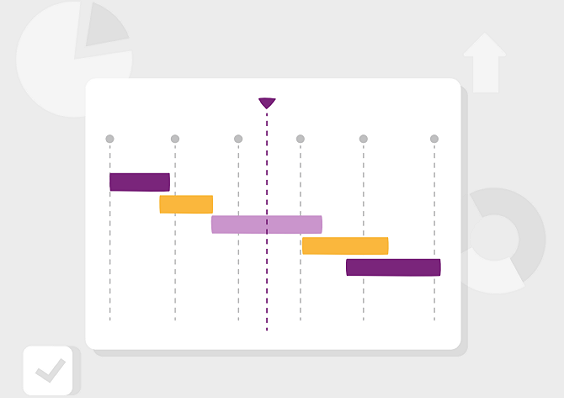
Scheduler – Gantt & PDF Improvements in PPO

A stylized Gantt chart with five horizontal bars in purple, yellow, and lavender, each spanning different time periods. A vertical dashed line with an arrow marks the current date. Faint chart icons are in the background.

PPO’s latest Scheduler and Gantt enhancements bring more flexibility, cleaner dashboards, and smoother exports. From single-date milestones to improved PDF handling, these updates make planning and reporting more powerful than ever.

Introducing color coded styling for upcoming and overdue dates

Illustration of a smiling person on a computer screen, surrounded by icons: a traffic light, pie chart, warning sign, data chart, and magnifying glass, representing data analysis and monitoring.

We’re thrilled to announce our latest product feature which allows you to apply Color Styling to date fields to highlight whether an item is overdue or due within the next 7 days! This new feature brings visual clarity and efficiency to your project planning and tracking.

Share your lists & stand a chance to win!

Illustration of three cartoon avatars next to progress bars and checklists, with text: Win a voucher & treat yourself to an item in your Wish Lists! and a purple arrow pointing at the avatars and lists.

Send us a video, screen shot and/or description of how you’re using “My Lists” in PPO to mylists@go2ppo.com and stand a chance to win a voucher and treat yourself to an item in one of your “Wish Lists”!